
LITPL / Enterprise software for Africa & India

Your business
has outgrown
disconnected software.

Bring finance, sales, stock, and operations into focus. LITPL helps businesses across Africa and India choose, implement, and support the software that fits the way they work.

SAP ERP · CRM · Distribution · Fleet · Retail · Depot operations

Working with businesses across Africa and India, with remote delivery and on-site visits when the project needs them.

From scattered work to connected operations

Explore SAP Business One

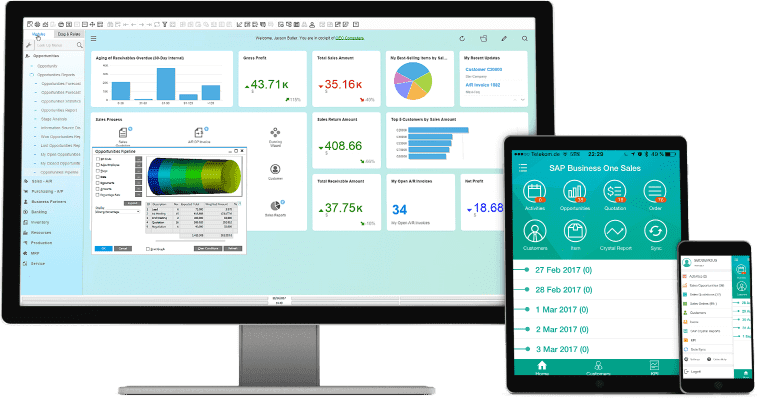
SAP Business One interface displayed on desktop, tablet, and phoneSee what a connected ERP can do
01

One business view

02

Clearer workflows

03

People supported

Product overview image • SAP Business One

Serving businesses across Africa and India.

AfricaIndiaRemote delivery worldwideWhere we work

01 / Find your starting point

What would you like to run better?

Choose the part of your business that needs attention. We’ll point you towards a relevant solution.

We’re working across too many systems.

Bring the business together.

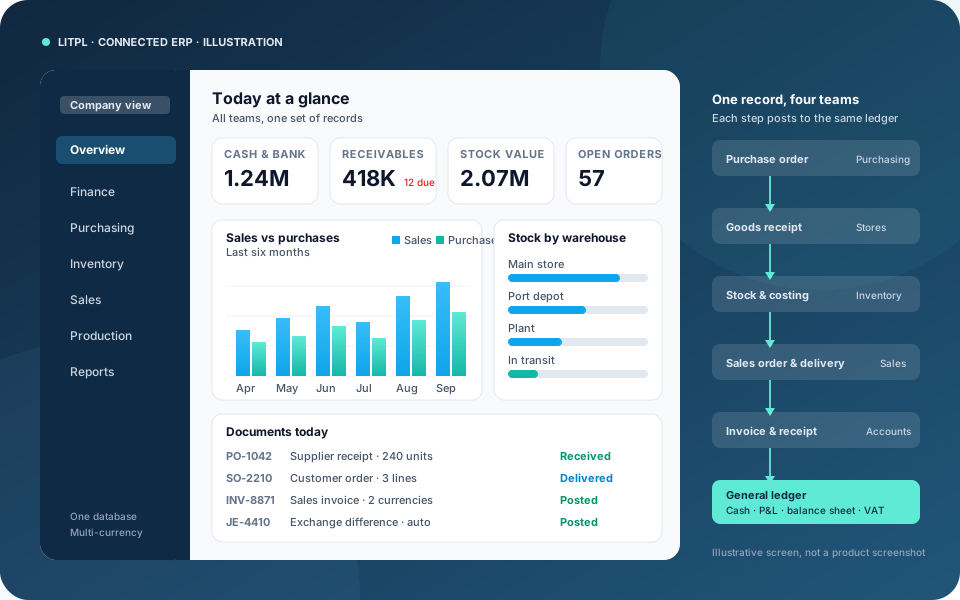
Connect accounts, purchasing, inventory, and sales. Start with your current processes to decide whether SAP Business One or public cloud ERP is the better fit.

  • Connected business records
  • Inventory and financial visibility
  • Implementation and user training
Connected ERP overview: KPI tiles, sales versus purchases chart, stock by warehouse, and the document flow from purchase order to general ledger

Industries

Built around the work,
not a generic catalogue.

Industry solutions across Africa and India, each with a worked operational flow, the records it depends on, and the solution we usually start from. Open any card for the full workflow, reports, and implementation approach.

See all industries
Representative container yard with stacked containers, a reach stacker, truck lanes, gate control, and a supervisor using a tablet

ICD and CFS

Depot and containers

Connect container movement with the charge behind it.

Depot work spans the manifest, handling, storage, dispatch, and the invoice. ICD Management is an SAP Business One add-on for teams that need those steps in one operational flow.

  • Manifest
  • Handling and storage
  • Charges
Illustration of an edible oil bottling line with golden cooking oil and stainless steel tanks

From receipt to packed oil

Edible oil manufacturing

Follow materials from the oilseed or oil receipt to dispatch.

Oil businesses need visibility across purchasing, storage, processing, packing, and sales. Map the records for your own process—whether crushing, refining, blending, or packing—and connect the operational quantities with stock and costs.

  • Batch & tank records
  • Yield & by-products
  • Packing & dispatch
Illustration of cement silos, conveyors, bagged cement, and a dispatch area

Materials, production & dispatch

Cement manufacturing

Bring production quantities and dispatch records into focus.

Cement operations involve bulk materials, production stages, storage, and bagged or bulk dispatch. A useful software scope connects the commercial records with the quantities and operational information your plant needs to review.

  • Bulk materials
  • Bagged & bulk stock
  • Dispatch & billing
Illustration of a steel rolling mill with hot billets, finished coils, and beams

Grades, sizes & material movement

Steel manufacturing

Keep the material identity with the production record.

Steel businesses work with materials that differ by grade, size, weight, and processing stage. Discuss how raw materials, work in progress, finished products, and scrap should be recorded across your operation.

  • Grades & dimensions
  • Production & scrap
  • Weight-based dispatch
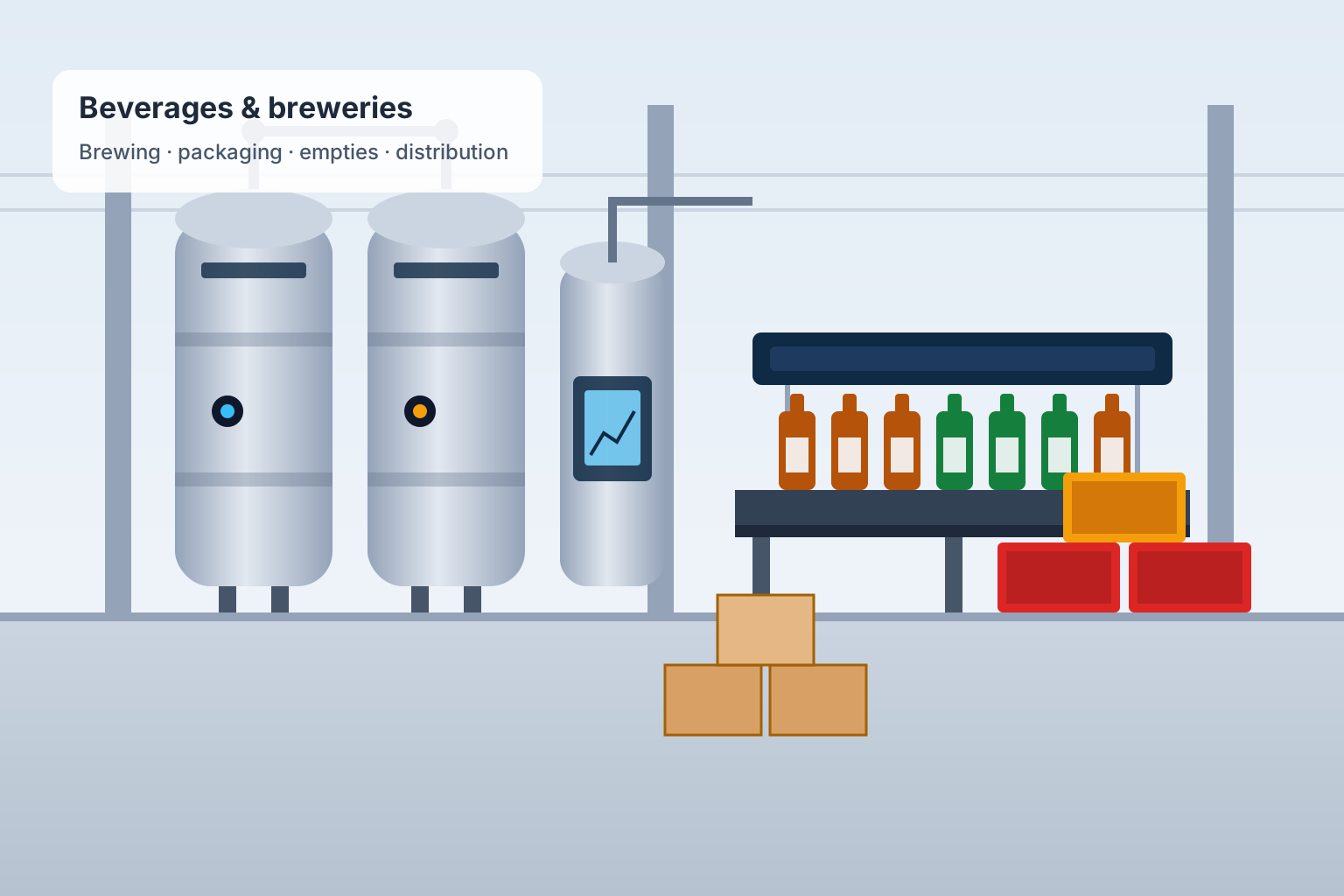
Illustration of a brewery with stainless steel brewing and fermentation tanks, a bottling line, and stacked crates ready for dispatch

Brewing, packaging & empties

Beverages & breweries

Connect the brew, the bottle, the crate, and the invoice.

Breweries and beverage plants run batch production, high-speed packaging, returnable bottles and crates, excise reporting, and a distribution network that settles in cash. Map the brew or batch record, packaging lines, full and empty stock, and distributor accounts so production, excise, and finance work from the same numbers.

  • Batch & brew records
  • Packaging & empties
  • Excise & distributors
Illustration of a hygienic food production and packaging line

Ingredients to finished packs

Food processing

Connect the ingredient record to the finished batch.

Food manufacturers need to coordinate ingredients, production, packaging, and dispatch. Start with how you identify materials and batches, then define the records needed to review stock, shelf life, and production costs.

  • Ingredients & batches
  • Shelf-life records
  • Packing & costing
Illustration of an open-pit quarry with a haul truck, excavator, and crusher plant

Extraction, haulage & dispatch

Mining & quarrying

Connect the pit, the plant, the stockpile, and the sale.

Mining and quarry operations need to know what was extracted, hauled, crushed, stockpiled, and dispatched, and what it cost. Map production, equipment, fuel, spares, and dispatch records around your site so operations and finance work from one set of numbers.

  • Production & stockpiles
  • Equipment & fuel
  • Contractors & dispatch
Representative FMCG distribution scene with packaged food, beverages, household goods, a delivery truck, and a salesperson confirming a retailer order on a tablet

Van sales, outlets & collections

FMCG distribution

Follow every outlet order from the van to the bank.

Fast-moving consumer goods distributors serve hundreds of outlets through van sales, pre-orders, and delivery routes. Keep outlet orders, stock on the van, invoices, cash and mobile-money collections, and salesperson activity in one record so the day reconciles.

  • Routes & outlets
  • Van stock & invoicing
  • Collections
Illustration of stacked sacks and shipping containers on a quay with a gantry crane and a vessel

Sourcing, grading & shipment

Commodity trading & export

Know what was bought, graded, stored, and shipped, and at what margin.

Exporters of coffee, cocoa, cashew, sesame, grains, pulses, and minerals buy from many suppliers, grade and process lots, store them, and ship against contracts in foreign currency. Connect supplier purchases, lot quality, warehouse stock, shipping documents, and contract margins.

  • Supplier lots & grading
  • Warehouse stock
  • Contracts & shipping
Illustration of freight trucks at a distribution warehouse

Vehicle records

Transport & fleet solutions

Keep the history of each vehicle in one place.

Keep vehicle profiles, maintenance, tyre history, loading, and loss records together. LITWay is a starting point for truck owners and transport teams; review any additional trip, fuel, freight-billing, or tracking requirements as part of the scope.

  • Vehicle profiles
  • Maintenance & tyres
  • Loading records
Illustration of crop fields, a tractor, grain sacks, and storage silos

Inputs, harvest & trading

Agriculture & agribusiness

See the business behind each crop cycle.

Agricultural businesses manage input purchases, field activities, harvested produce, storage, and sales. Map those records around your crop cycles and locations so the operational and financial information can be reviewed together.

  • Crop-cycle costs
  • Produce inventory
  • Procurement & sales
Illustration of warehouse pallet racks, stored goods, and a forklift

Customer stock, space & storage charges

Storage & warehousing services

Know what is stored—and how it should be billed.

Storage service providers must distinguish customer-owned goods, receipt and release dates, occupied space, and agreed charges. Connect the stock record with the commercial rules behind each storage agreement.

  • Customer-wise stock
  • Receipts & releases
  • Storage-charge billing
Van salesperson with a tablet handing a carton to a shopkeeper at a stocked grocery store while a helper unloads more cartons from the van

Roadside sales

Field distribution

Follow a field sale through to the receipt.

Distributors lose track of a day when the bill, the cash collected, the expense, and the person who made the sale sit in different places. LITFusion is built for that roadside workflow.

  • The sale
  • The collection
  • The day
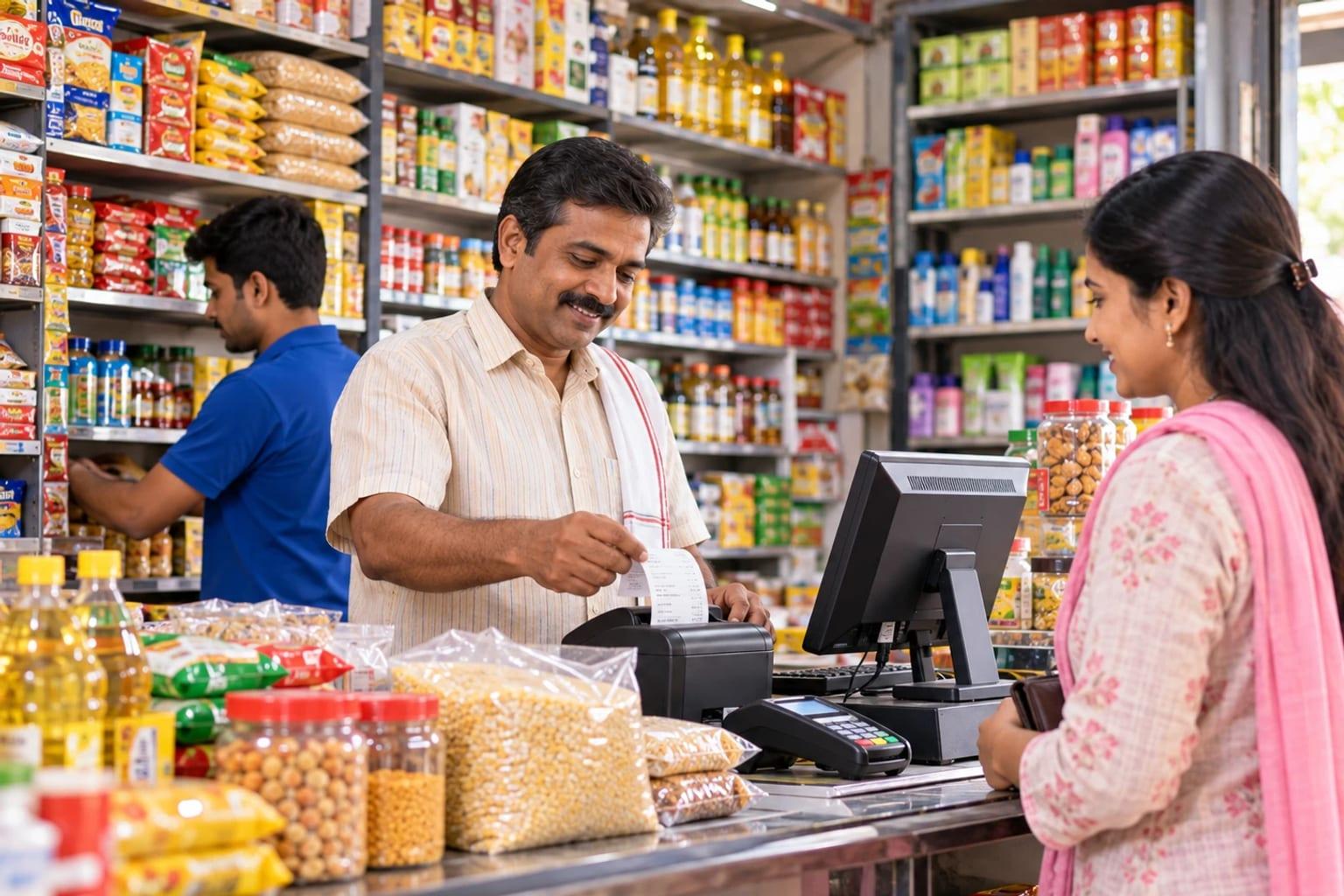
Shopkeeper handing a printed bill to a customer at a grocery counter with a billing computer, card machine, and stocked shelves

Counter and stock

Retail billing

Issue the bill and keep the stock record with it.

A shop slows down when the invoice, the cash, and the available stock are updated in different books. LITKHATA is for shopkeepers and trading counters that need those tasks together.

  • Billing
  • Cash and stock
  • Easier entry
Illustration of commercial rental property, equipment, a key, and agreement paperwork

Agreements, recurring billing & collections

Rental services

Keep every rental linked to its agreement and invoice.

Rental businesses need a clear record of what is rented, to whom, for which period, and at what charge. Map your agreement, billing, and collection process for commercial property, spaces, equipment, or other rentable assets.

  • Assets & agreements
  • Recurring billing
  • Deposits & dues
Illustration of a clean poultry house with white chickens, feed silos, and egg trays

Flocks, feed & farm accounts

Poultry farming

Bring daily flock records into a clearer business view.

Poultry farms keep daily records of birds, feed, farm expenses, and production. Organize those records by flock or batch to support purchasing, stock control, sales, and financial review across your farm.

  • Flock & batch records
  • Feed & farm costs
  • Egg or bird sales

Illustrations show representative settings, not client facilities. Solution names are the usual starting point; the final scope is agreed after discovery.

02 / Beyond the product

Good software needs
a clear way forward.

The product is one part of the decision. The process, the data, and the people determine how it fits into your business. Here’s how we approach the work.

01Understand

Start with the work, not the software.

Map the way your team sells, bills, buys, and reports. Identify the bottlenecks that matter most.

02Define

Make the scope clear.

Review the product fit, configuration, data, and integrations needed before planning the implementation.

03Implement

Prepare the system and the people.

Configure the solution, plan data migration, and train the teams who will use it every day.

04Support

Keep the conversation going.

Work through go-live and ongoing support needs as your team puts the system into daily use.

Explore implementation and support services

03 / Let’s make it clear

The questions
worth asking.

A useful conversation starts with your priorities. You don’t need a technical specification to get in touch.

+91 99070 36906 ↗

WhatsApp is the fastest way to reach us from anywhere. Message us

Do you work with businesses outside India?

Yes. LITPL works with clients across Africa and India. Discovery, configuration, training, and support are delivered remotely in your working hours, with on-site visits arranged for go-live or plant and yard walkthroughs when the project needs them.

I’m not sure which product we need. Where do we start?

Start with the business problem. Tell us where work slows down, which systems you use, and which teams are involved. We can discuss the relevant products before you commit to a particular direction.

How does a remote implementation work across time zones?

We agree a working window that overlaps your day, run sessions over video calls and screen sharing, and keep a WhatsApp channel open for quick questions. Data preparation, testing, and training are planned around your team’s availability, not ours.

Can we discuss our existing software and data?

Yes. Bring a list of the systems you currently use and sample reports or documents. Migration and integration requirements should be reviewed as part of the proposed scope.

What will the project cost and how long will it take?

That depends on the selected product, users, processes, data, integrations, and training needs. These details need to be scoped before a meaningful quote and timeline can be agreed. Proposals can be prepared in the currency you contract in.

Can you show us how a solution fits our workflow?

Ask for a product discussion using a real example from your business, such as a sales order, a container movement, a lead follow-up, a vehicle record, or a billing document. It makes the conversation more useful than a general feature list.

Latest Insights

Stay updated with our latest thoughts and ideas on technology, business, and innovation

Your next step

Start with the part
that isn’t working.

A spreadsheet that takes too long. A lead that gets forgotten. A vehicle record nobody can find. Tell us where work gets stuck.

Talk through your requirements

Prefer email? sales@litpl.com

Link Ideas Technologies Pvt Ltd · Africa · India · Remote delivery worldwide

CallWhatsAppEnquire